
Download SBI FXTRADE APK – FX Trading App, Financial Tool, Android Trading Software
Overview
SBI FXTRADE is a desktop and mobile-based foreign exchange trading application developed by SBI FXトレード株式会社. Designed for users interested in currency trading, the app aims to deliver a streamlined and efficient trading experience directly from Android devices. It falls under the Business & Productivity category, specifically within Finance, catering to individuals seeking real-time market access and analytical tools. The application is tailored for both active traders and those exploring foreign exchange markets, offering a user-friendly interface with a focus on readability and functionality.
The app enables account holders to monitor live currency rates, execute trades, and analyze market trends using advanced charting features. Its design emphasizes clarity, with multiple query screens that simplify navigation and information retrieval. While the software is primarily intended for users with existing accounts, new users are encouraged to explore its capabilities. The application supports simultaneous chart displays and integrates technical analysis tools to aid decision-making. However, compatibility details are limited to Android devices, and it is explicitly noted that tablet devices are not supported.
Key Features & Capabilities
- Multi-Chart Display: Supports up to four charts displayed simultaneously, allowing traders to compare multiple currency pairs or timeframes in real time.
- Advanced Technical Indicators: Offers 22 types of technical analysis tools to assist in identifying market trends and potential entry/exit points.
- Trend Line Drawing: Enables users to manually draw trend lines directly on charts for visualizing market direction and support/resistance levels.
- 2WAY Order Function: Facilitates one-tap trading by allowing users to place both settlement and new orders in a single action, improving trading speed and efficiency.
- Rate Read-Aloud Feature: Provides audio output of current exchange rates, enabling users to stay informed while multitasking or in environments where visual monitoring is limited.
These features are designed to enhance trading workflow, especially for users who require quick access to data and fast execution. The charting engine is optimized to mirror the performance of desktop trading platforms, ensuring consistency across devices. However, actual performance may vary based on device capabilities and network conditions. The developer did not provide additional details on system requirements or backend infrastructure.
User Interface, Workflow & Performance
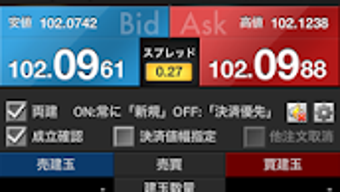
The user interface of SBI FXTRADE is described as stylish and easy to read, with a focus on minimizing visual clutter. Navigation is structured around core trading functions, including market monitoring, order placement, and chart analysis. The layout prioritizes accessibility, allowing users to quickly switch between different screens and tools without extensive menu diving.
Workflow efficiency is enhanced by the 2WAY order function and the ability to display multiple charts simultaneously. These features reduce the number of steps required to execute trades, which can be particularly beneficial during fast-moving market conditions. The app’s design supports simultaneous order entry, streamlining the process for active traders.
Performance observations are based on general software behavior patterns. The developer did not specify resource usage details such as CPU or RAM consumption. Users may experience variations in responsiveness depending on their device’s hardware and operating system version. Stability during prolonged use was not publicly documented. The app is currently in version 1.0.1, suggesting it is in an early release phase with potential for future updates.
Compatibility & System Requirements
SBI FXTRADE is available for Android devices and is currently released in version 1.0.1. The installation size is 30.1 MB, indicating a lightweight application that should not place significant demands on storage space. However, the developer did not specify exact system requirements such as minimum Android version, processor speed, or RAM specifications.
Compatibility information is partially provided: the app is confirmed to run on standard Android smartphones. It is explicitly noted that the application is not compatible with tablets, which limits its usability across different form factors. Users should ensure their device meets the minimum Android OS version required by the app, though this detail was not disclosed. The developer did not provide information on background processing, battery consumption, or network dependency beyond general functionality.
Pros and Cons
Pros
- Stylish and intuitive user interface with clear navigation
- Supports up to four simultaneous chart displays for enhanced analysis
- 22 technical indicators and trend line tools for in-depth market analysis
- One-tap 2WAY order function improves trading speed and convenience
- Rate read-aloud feature enables hands-free market monitoring
Cons
- Not compatible with tablet devices
- Exact system requirements were not listed
- Performance details such as CPU/RAM usage were not provided
- Only available on Android, limiting cross-platform access
- Pricing of $10.00 may be considered high for a mobile trading app
FAQ Section
Is SBI FXTRADE compatible with tablets?
According to the developer, the app is not compatible with tablet devices. It is designed specifically for Android smartphones.
Can I use SBI FXTRADE without an account?
While the app is accessible to users with an existing account, new users are encouraged to try the app. Account creation may be required to access full trading functionality.
Is the app safe to use?
SBI FXトレード株式会社 is the official developer, and the app is distributed through trusted channels. Users should ensure they download the APK from official sources to maintain security.
Does the app support automatic updates?
The app is currently in version 1.0.1. Automatic update functionality depends on the device’s app store settings, though specific update mechanisms were not detailed.
Can I use SBI FXTRADE offline?
The app requires an active internet connection to access live market data and execute trades. Offline functionality was not mentioned in the provided information.
Final Thoughts
SBI FXTRADE presents a focused and functional solution for Android-based foreign exchange trading. Its combination of multi-chart display, technical analysis tools, and one-tap trading features makes it a compelling option for traders seeking efficiency and precision. The stylish interface and rate read-aloud function add unique value, especially for users who prefer a hands-free or multitasking approach.
However, limitations such as tablet incompatibility and the absence of detailed system requirements may affect usability for some users. The $10.00 price point also warrants consideration, particularly given the app’s current version and lack of advanced automation or AI-driven features.
For active traders who use Android smartphones and value real-time charting and rapid order execution, SBI FXTRADE offers a solid entry point into mobile FX trading. Download SBI FXTRADE now






.png)
